

SeerBit + Xero: Simple, easy payments
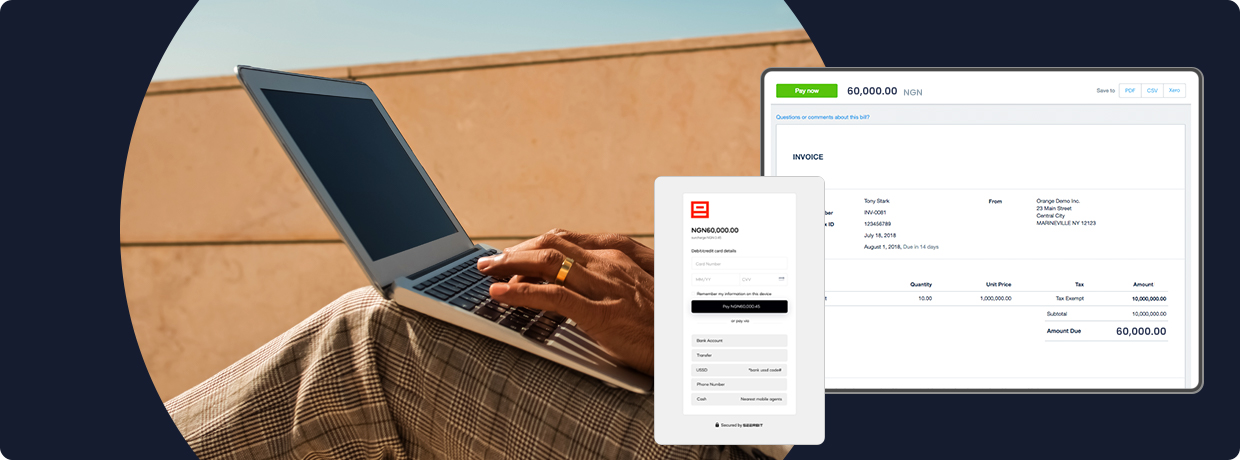
SeerBit makes it easy for businesses in Nigeria, Ghana, Kenya, South Africa, and Côte d'Ivoire to accept secure payments from multiple local and global payment channels. Integrate SeerBit with your Xero today, and let your customers pay you with their choice of methods.
Why choose SeerBit?
Delight customers with a seamless payments experience
Give your customers the gift of modern, frictionless, painless payments. Integrate SeerBit once and let your customers pay you however they want.
Enjoy phenomenal transaction success rates
We automatically route payments through the most optimal channels, ensuring the highest transaction success rates in the market.

Protect yourself and your customers with advanced fraud detection
SeerBit's combination of automated and manual fraud systems protect you from fraudulent transactions and associated chargeback claims.
What Xero does
Xero is online accounting software that lets you run your business easily and efficiently.

See your up-to-date cash position
Know how you're doing financially with secure daily updates from your bank accounts and a clear visual dashboard.
Get paid faster and improve cash flow
Easily create and send invoices with online payments and automated invoice reminders for faster payment.
Run your business from anywhere
Access your business finances anytime, from any internet-connected device, and use the Xero app for iOS and Android.
Connect and collaborate anytime
Invite your team and your advisors to work with you in real time from home, office, or on the go using the mobile app.
Connect SeerBit to Xero in 3 steps

Go to https://dashboard.seerbit.com/
And create a free SeerBit account to accepting payments online

Go to https://xero.seerbitapi.com/login
Sign in with Xero, and authorise SeerBit to access your Xero data.

Go to https://xero.seerbitapi.com/configure
- Choose your Xero fees and payout account for reconciliation
- Follow this link to your SeerBit Dashboard Settings to find your API keys. Copy the right keys and enter them in the right fields in the plugin settings.
- Enable SeerBit for your Xero branding themes
Don't Miss Out!
Join thousands of businesses using SeerBit to power payment collection and management on their Xero stores.